

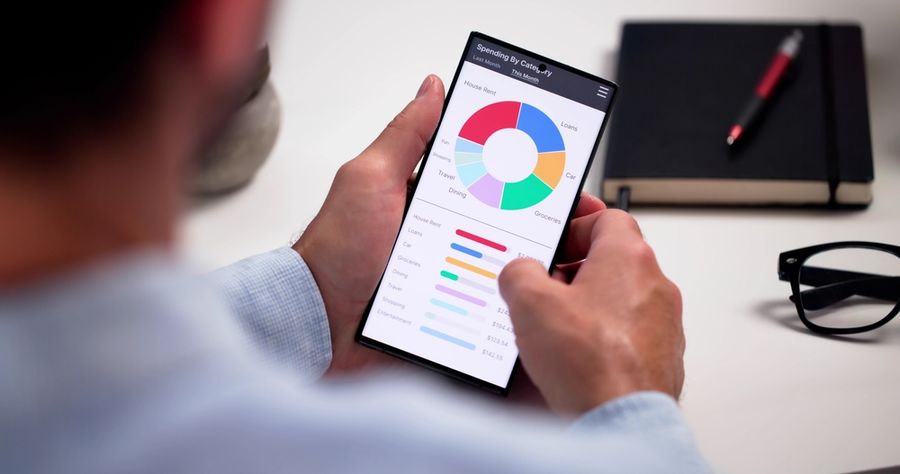
Choosing the right financial app for budgeting and tracking can make managing money easier and less stressful. With so many options available, from no-fee tools to paid services with advanced features, it helps to know what to look for before you download or subscribe. The goal is to find an app that matches your spending habits, financial goals, and comfort level with technology. Understand how to evaluate popular budgeting and tracking apps.
Identify What You Need From an App
The first step in evaluating financial apps is understanding what you need. Some people want a basic tool that tracks spending and summarizes transactions, while others want full financial planning features like goal setting or investment tracking. Knowing your priorities keeps you from paying for features you won’t use.
For example, PocketGuard offers a simple “how much you can spend” feature based on linked accounts and spending categories, which can help people who want a quick snapshot of their cash flow without complexity. Monarch Money, on the other hand, brings spending tracking together with goal setting, investment views, and long-term planning tools for users who want a broader financial picture. Comparing what you want with what each app specializes in can narrow your choices quickly.
Look for Core Tracking and Budgeting Features
At a minimum, a good budgeting app should track spending, categorize transactions, and allow you to set budgets or limits. Automatic syncing with your bank and credit accounts saves time and ensures your data stays up to date without manual entry. Apps like Honeydue are designed for couples and shared budgeting, letting partners view and discuss transactions in the app.
In addition to basic tracking, some apps help identify recurring expenses or subscriptions. Rocket Money, for example, offers tools to flag regular billing and even cancel unwanted subscriptions. This type of feature makes it easier to control recurring spending without checking every bill manually.
Consider Usability and Learning Curve
An app can offer many features, but if it’s hard to use, it may not help you stay consistent. Simple layout, clear categories, and intuitive navigation are important. Some apps like YNAB (You Need a Budget) are powerful but require adopting a specific budgeting method (zero-based budgeting) that may feel unfamiliar at first. A longer learning curve is not a drawback if you are committed to that system, but it matters when comparing alternatives.
No-fee or low-cost options often balance ease of use with essential features. Apps such as Goodbudget follow the envelope budgeting method and are simple to grasp for beginners. Even manual entry tools can work well if they guide users through categorization in clear steps.
Evaluate Security and Account Integration
When an app connects to your bank and credit accounts, security becomes a priority. Look for apps that use strong encryption and secure login methods like two-factor authentication. Most well-known budgeting apps rely on secure connections to financial institutions, but reviewing a provider’s security practices gives you peace of mind.
Ease of integration matters too. Some apps sync with thousands of banks and investment accounts, giving a complete picture of your finances in one place. Make sure the app you choose connects with the accounts you use most often; apps that cannot sync key accounts may require manual entry, which reduces convenience and can lead to errors.
Understand Cost and Subscription Models
Many budgeting apps offer no-fee versions, but premium features often cost money. When evaluating an app, compare what you get "on the house" versus what you pay for. No-fee apps like Honeydue offer core tracking and shared budgeting without a subscription, which can be a good fit for people who only need basic tools.
Paid apps like YNAB or Monarch Money offer advanced features such as customizable goals, trend reports, or net-worth tracking. Decide whether those features match your financial goals and whether the cost fits your budget. Checking for no-fee trials allows you to test premium features before committing.
Check for Ongoing Support and Updates
An app that is actively maintained and updated is usually more reliable. Look at how often the app developers release new features or fix bugs. Apps that stagnate over time may fall behind in compatibility or security. User reviews and update history in app stores or product sites can signal how responsive a company is to user needs.
Use Trials and Don’t Be Afraid to Switch
Evaluating apps is easier when you try them first. Many budgeting tools offer no-fee trials of premium features. Use these periods to see how the app fits your workflow and whether it genuinely helps you manage money better. If an app does not feel right after a few weeks, switching to another option is normal and often worth the effort. Real-world needs can change, and the best tool today might not be the best tool a year from now.
Choose a Tool That Fits Your Financial Style
The right budgeting and tracking app helps you stay aware of your money, make better decisions, and keep progress toward your goals visible. Look for features that matter most to you, such as automatic syncing, clear categorization, and tools that match your budgeting style.
Comparing usability, security, integrations, and cost helps you decide with confidence. The best financial app is the one you will use regularly and that simplifies your path toward better financial management.